Shaun Studio: your own IDE
A desktop editor built for the language. Syntax colours, live error checking, autocomplete, and a console you can type into while your program runs.
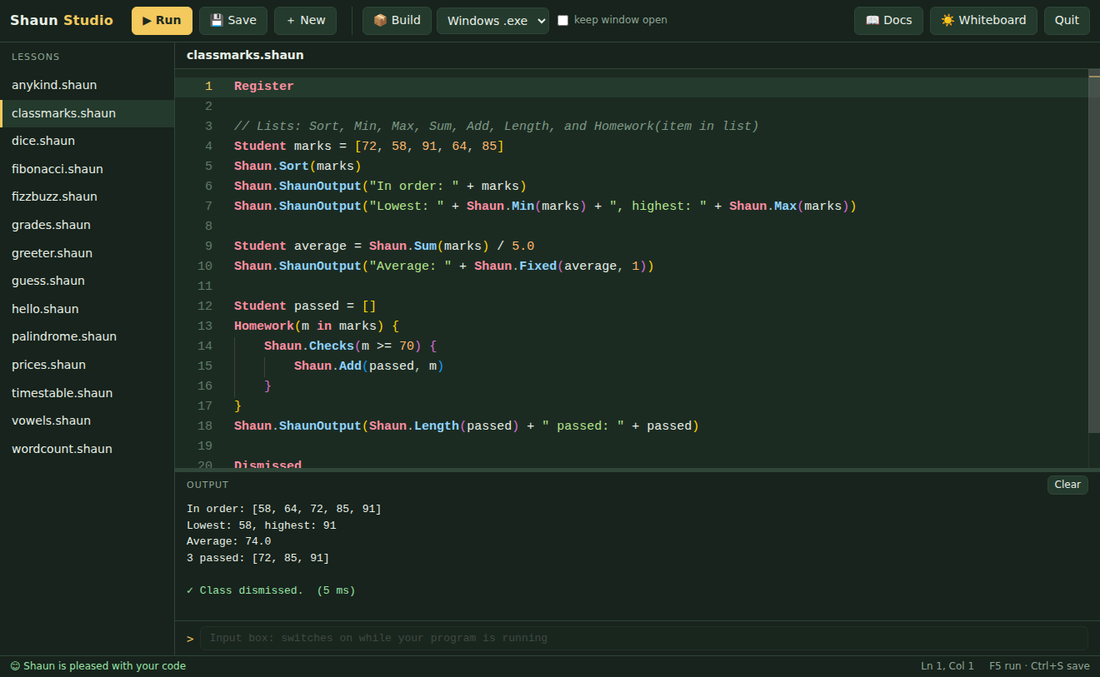
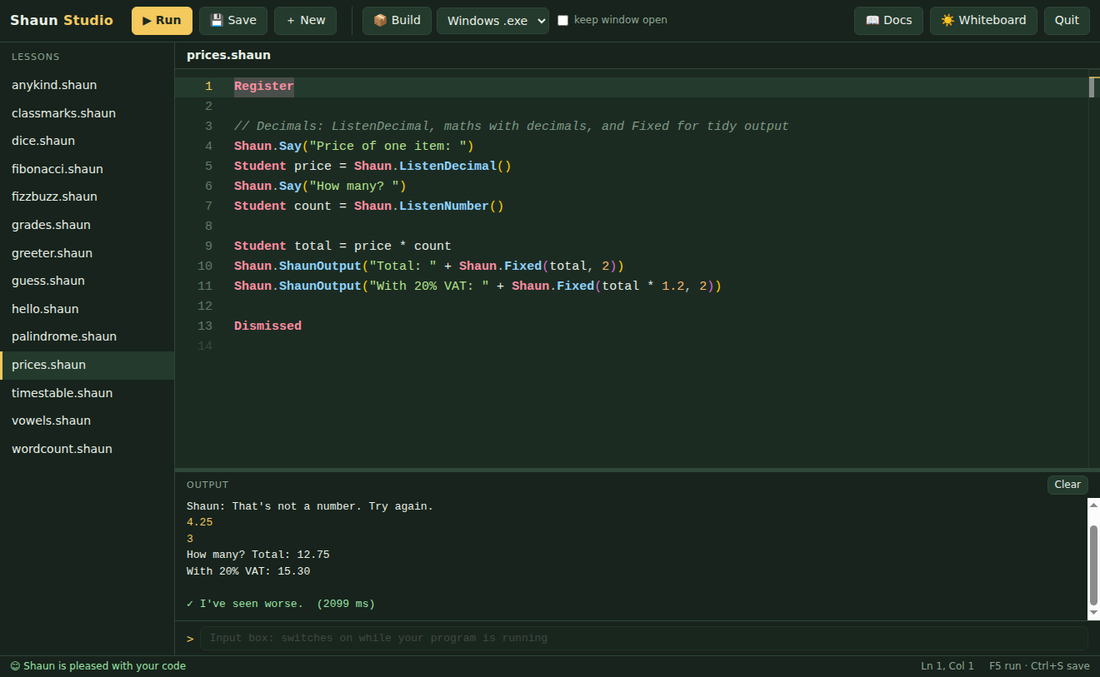
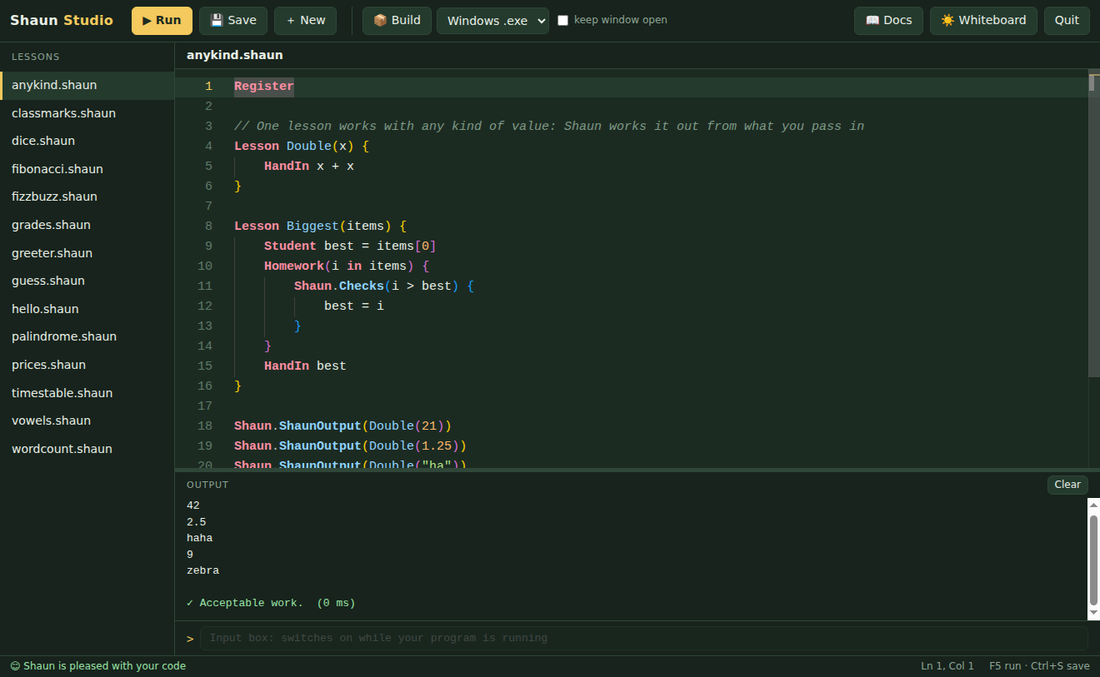
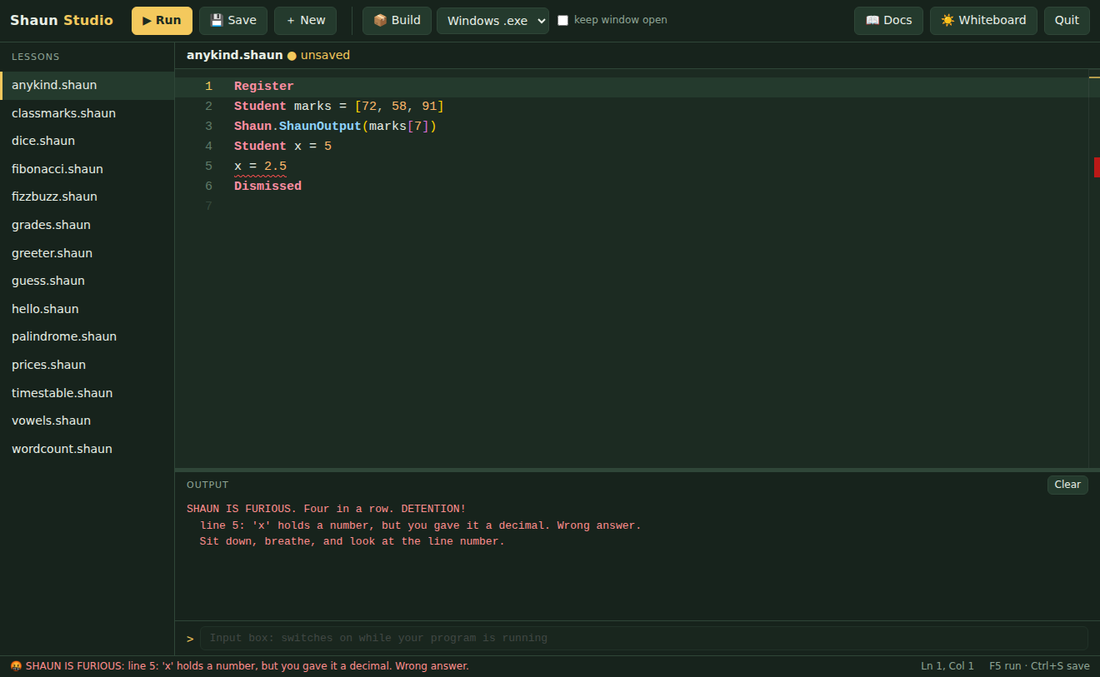
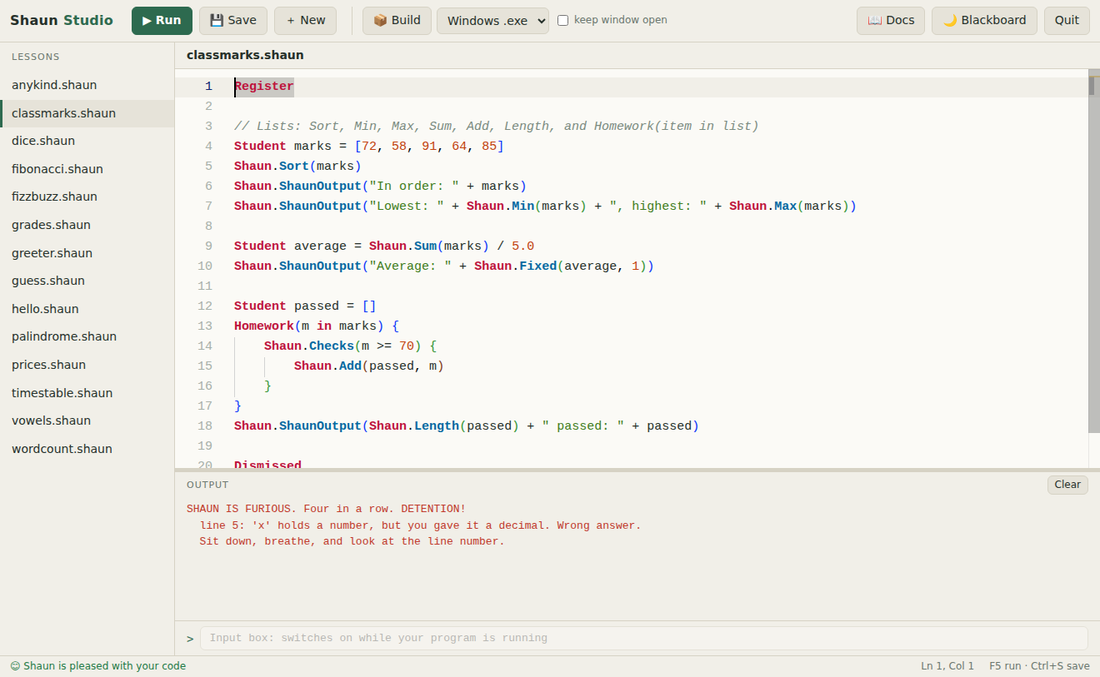
Shaun is a real programming language with its own compiler and its own IDE. It writes genuine machine code, builds .exe files you can share, and tells you off when your code is wrong.
Free. Windows 10 and 11, 64-bit. No account, no sign-up.Register
Student marks = [72, 58, 91, 64, 85]
Shaun.Sort(marks)
Homework(m in marks) {
Shaun.Checks(m >= 70) {
Shaun.ShaunOutput(m + " passed!")
} Detention {
Shaun.ShaunOutput(m + ": see me after class")
}
}
DismissedEverything you'd expect from a language like Python, with keywords that read like a school day.
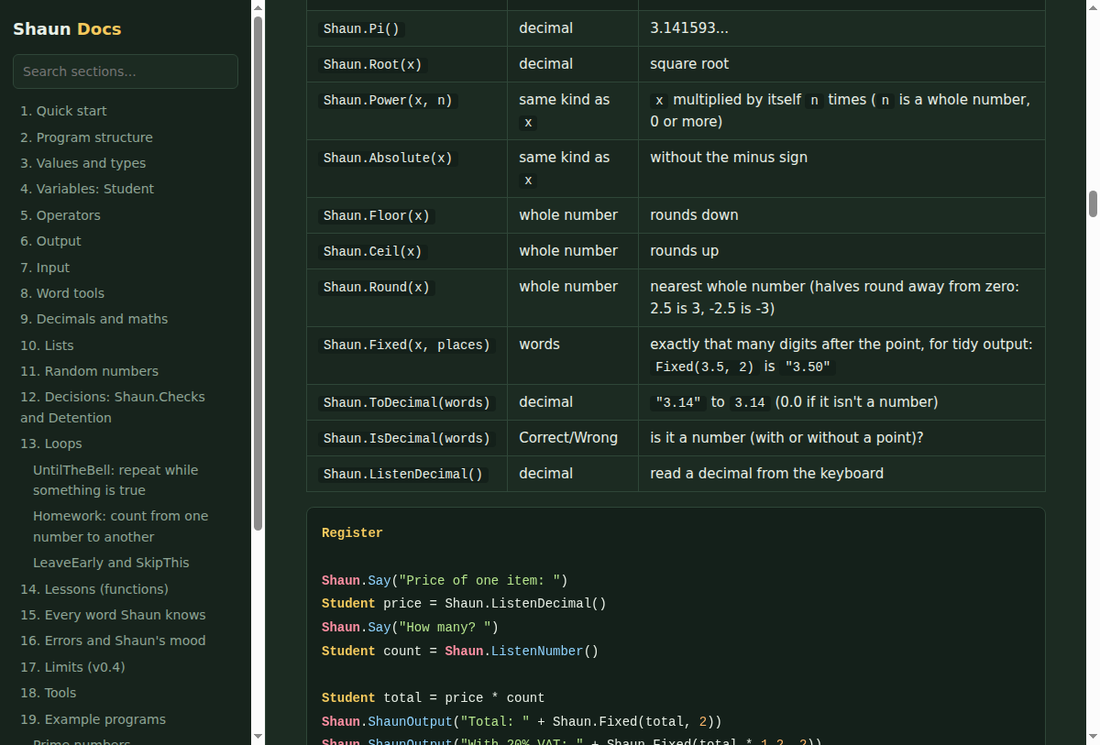
Whole numbers, decimals, and maths like Shaun.Root, Power, Round and Fixed for tidy output.
Make them, sort them, search them, split text into them and join them back. Loop with Homework(item in list).
One lesson works with numbers, decimals, words or lists. Shaun works out the kinds for you, and recursion works too.
Shaun.Pick(1, 6) for dice, Choose and Shuffle for cards and quizzes.
Ask questions with Shaun.Listen, ListenNumber and ListenDecimal. Words, numbers and lists join with +.
Make a mistake and he's disappointed. Make four in a row and he's furious. Fix it and he calms down.
A desktop editor built for the language. Syntax colours, live error checking, autocomplete, and a console you can type into while your program runs.
No gcc. No LLVM. No assembler. Shaun's compiler turns your code into x86-64 machine instructions itself, and writes the .exe file byte by byte.
Version 0.4. The compiler, the IDE and the docs, in one installer.
Windows 10 or 11, 64-bit. Installs just for you, with no admin rights needed.
After installing, double-clicking any .shaun file opens it in Shaun Studio.
Yes. It has variables, decimals, lists, loops, functions (called lessons), recursion and input and output. The compiler checks your types, then produces machine code that runs directly on the processor.
Windows shows that warning for any program that isn't signed by a paid certificate. Shaun Studio is a free hobby project, so it isn't signed. Click More info, then Run anyway.
Not yet. The compiler can build for Windows and Linux. A Mac version is a possible future project.
In your Documents folder, inside a folder called ShaunProjects. They are plain text files ending in .shaun.
Yes, the language reference lists every keyword and function, every error message, and working examples. It is also built into the app.